2022-06-29
Pls click or email to
mh_elec@126.com or jacky@mh-elec.com
MH-SM567-3 Infrared Thermal Camera Module is one of the smallest thermal imaging modules in the world ,which use the latest 384x288 17um FPA uncooled detector.Offering the brilliant video quality and customized connection interface,it will bring you great success in your system integration.
FUNCTION DESCRIPTION
a. Real-time image noise reduction, reduce image background noise;
b. Brightness/Gain adjustable;
c. 2X,4X digital zoom in;
d. Polarity switch;
e. Standard RS232.
OPERATION DESCRIPTION
A. Operation
Keep connector in good connection, check it carefully and then turn onthe power supply.
During booting, the image might have some interference is normal.
Within 15 seconds after booting, the image may not uniformity, it’s the preheat of focal plane array.
After using the camera please turn off the power supply.
B. Keyboard
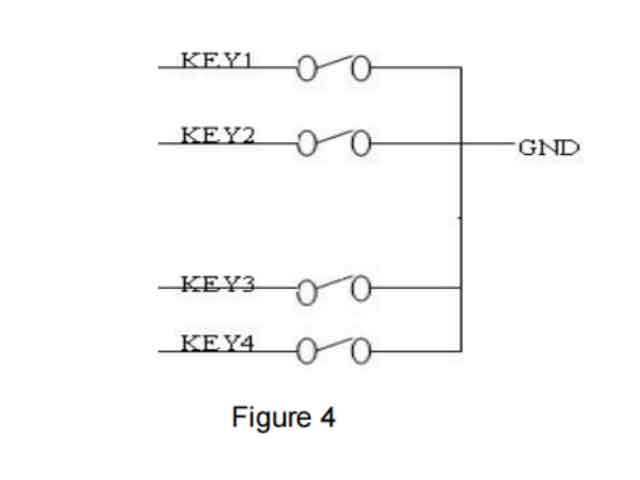
KEY1—— Key (M), menu switch;
KEY2—— Key (F), Cursor;
KEY3—— Key (+), Adjust increase;
KEY4—— Key (-), Adjust decrease.
(When system in menu mode, Key(M) is for switch, Key (+),Key(–) is for adjust parameter.)
a. Press KEY(M) can get into menu1 mode:
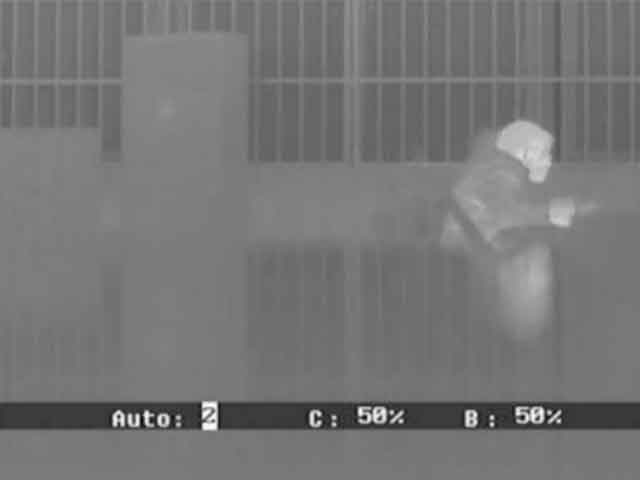
Menu 1:
Auto:
0:manual gain, manual electrical level;
1:manual gain, auto electrical level;
2:auto gain, auto electrical level.
Press KEY(+) and KEY(–) to adjust.
C: contrast, adjust by KEY(+) and KEY(-), the range is (1~100).
B: brightness, adjust by KEY(+) and KEY(-), the range is (1~100).
a. Press KEY(M) can get into menu2 mode:
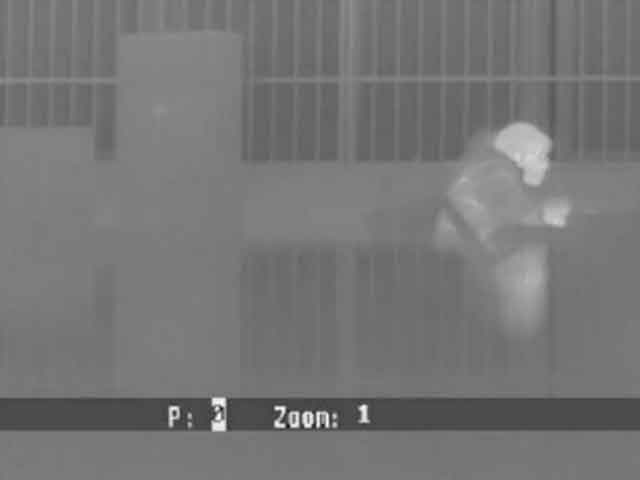
Menu 2:
P: polarity. 0=white hot, 1=black hot;
Zoom: 1=original 2=zoom*2 4=zoom*4;
PS: Except Auto, other parameter can be saved automatically after the menu is switch to disappear.
c. Press KEY(F), can get into cursor menu3:
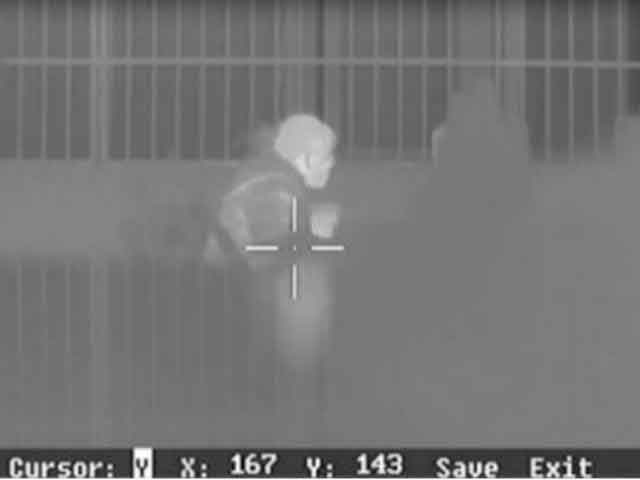
Menu 3:
Cursor: Y=display N=hide, adjusted by KEY(+) and KEY(-);
X: X-axis, adjusted by KEY(+) and KEY(–), the range is(0~767);
Y: Y-axis, adjusted by KEY(+) and KEY(–), the range is(0~575);
Save: save the cursor position, choose it by KEY(+);
Exit: exit the menu, choose it by KEY (+).
OPERATION NOTE
A. The Brightness and Gain
The thermal imaging module is able to auto adjust brightness and Gain according to different background when high temperature object enter into FOV.
B. BootingTime
The booting time less 3 seconds in working temperature range.
C. AboutPowerSupply
The standard working voltage range for the module is 2.5-5.5V, the power supply voltage out of this range may trigger over voltage protection function, and the module would turn off automatically. Please check the power supply and turn on again. Ten seconds interval for turn on/off the module is suggestion, to make sure the protective circuit turn off.
 tel
tel


